Campaigns
Send once, on repeat,
or from your app
Three ways to send: right now, on a schedule, or triggered from your product. Pick email or WhatsApp for each campaign.
1,000 free sends every month · no credit card
Need a walkthrough? Talk to sales
Campaign scheduling
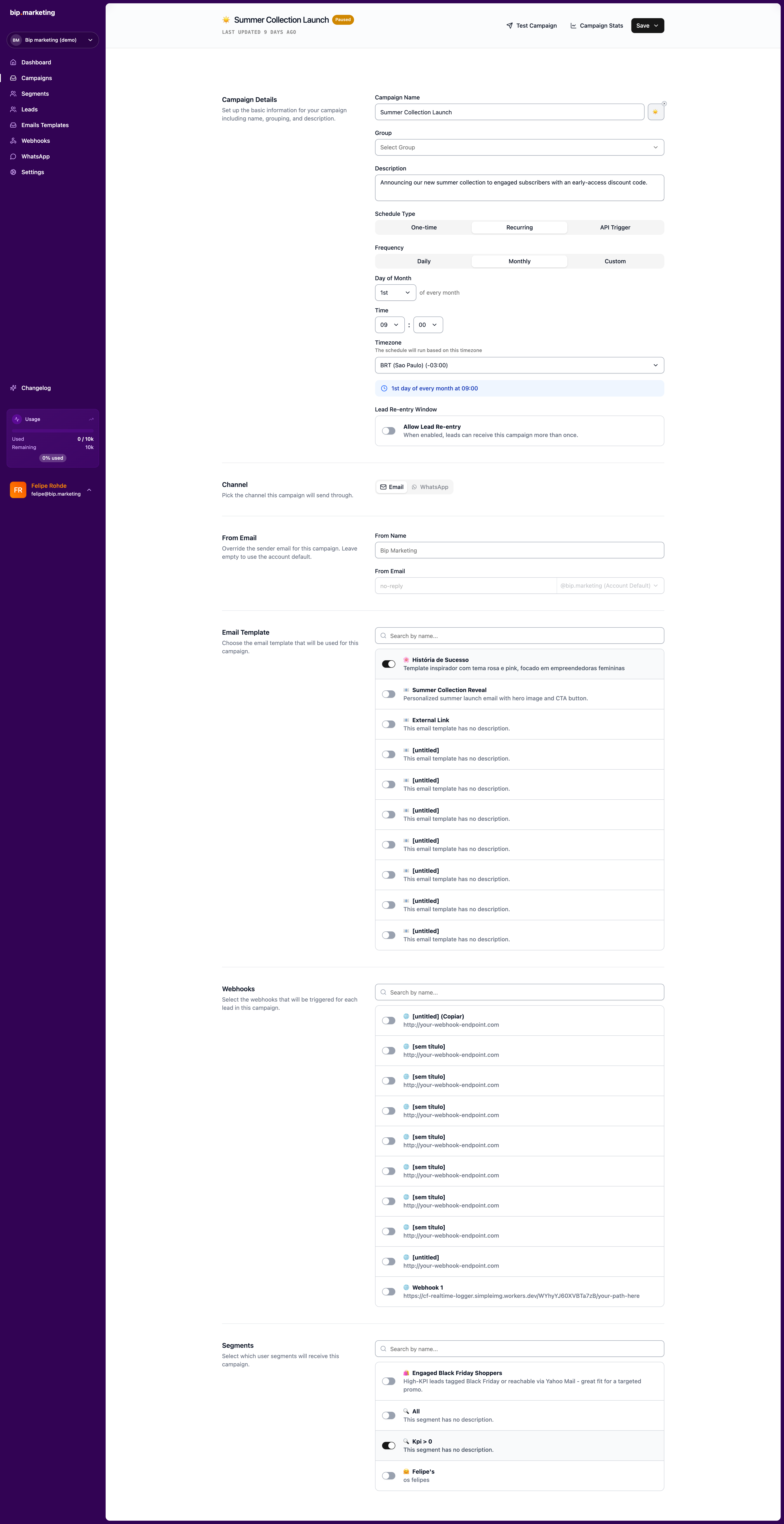
Send once or on a repeating schedule
Key capabilities
One-time send
Launch immediately or lock in a date and time with your timezone.
Recurring schedule
Daily, weekly, or monthly. The segment is recalculated before every send.
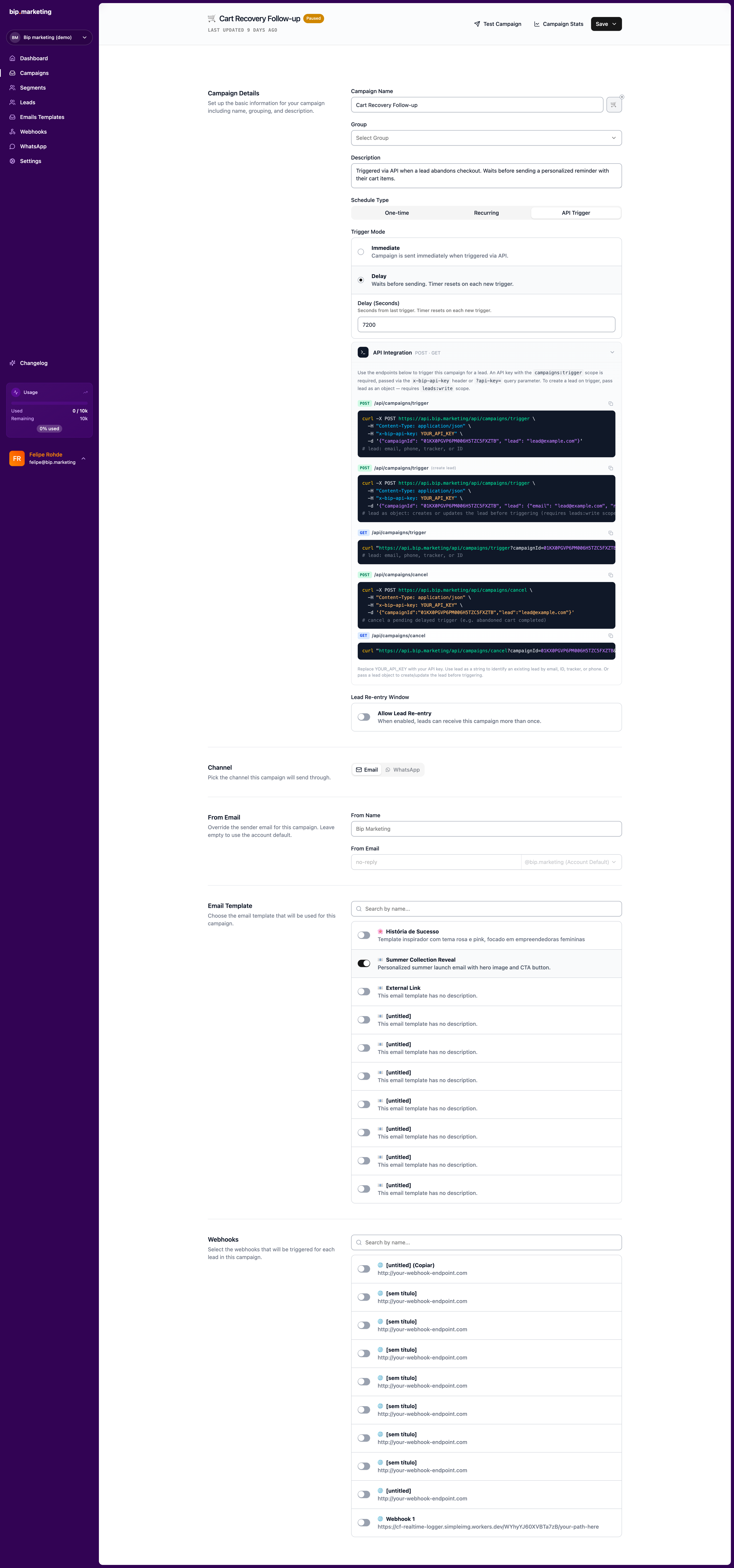
API trigger
Your backend triggers one lead. Set a delay, reset it if they return, cancel if they convert.
Webhooks on the same send
Fire up to 3 webhooks per person on the same send: CRM, Slack, your stack. Included in the dispatch.
Test sends
Send the campaign to your own inbox before it goes live. What you see is what they get.
Real-time analytics
Delivered, opened, clicked, opt-outs, and the top 10 links: live while the campaign runs, with a per-recipient log.

The campaign that knows when to wait
Thursday night, a shopper leaves three items in the cart. Your store hits the API with a two-hour delay; when she comes back to browse, the timer quietly resets. At closing time the reminder finally lands: her name, her cart, one tap to finish. And on the night she buys before the timer runs out, you cancel with one call: no message sent, no send charged. Every campaign type works this way: deliberate, observable, and billed only when something actually goes out.
Related
Weekly digest play
Recurring sends that rebuild their audience every cycle.
Exploremaintenance after setup
0
audience rebuilds
every cycle
Launch play
Absolute date and time, timezone included, analytics live.
Explorefree sends every month
1,000
per contact stored
$0
API
Create a lead and fire a campaign in one call.
Explorecall to create + trigger
1
for canceled sends
$0
WhatsApp
Approved templates and bulk sends.
Exploremarkup over Meta rates
0%
panel for both channels
1



Common questions
Can’t find the answer you’re looking for? Talk to our team and a human replies.
What is the difference between scheduled and recurring?
A scheduled campaign fires once at a fixed date and time. A recurring campaign repeats daily, weekly, or monthly, and rebuilds its audience before every cycle.
Can a campaign target more than one segment?
Attach several segments to one campaign. BIP deduplicates automatically, so nobody receives the same message twice.
Can I pause or reuse a campaign?
Yes. Pause an in-progress campaign and resume when ready. Duplicating a campaign clones the setup as a fresh draft with zeroed counters.
Last updated 2026-07-21
Create your first campaign
1,000 free sends every month · no credit card