Email editor
Build campaign emails
without HTML
Create blocks, style containers, preview in the inbox. Insert lead data with @variables. Attach the template to any email campaign.
1,000 free sends every month · no credit card
Need a walkthrough? Talk to sales
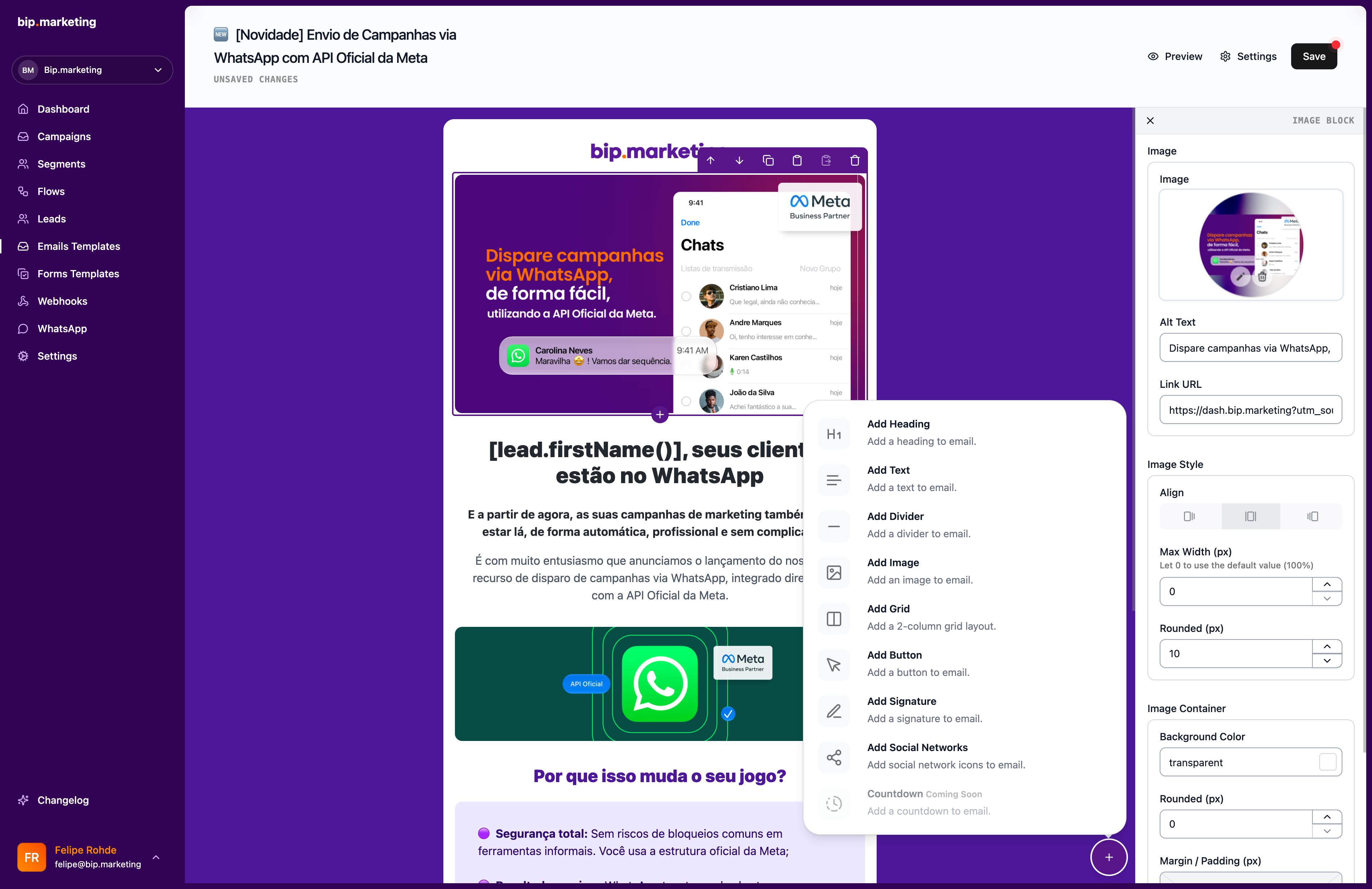
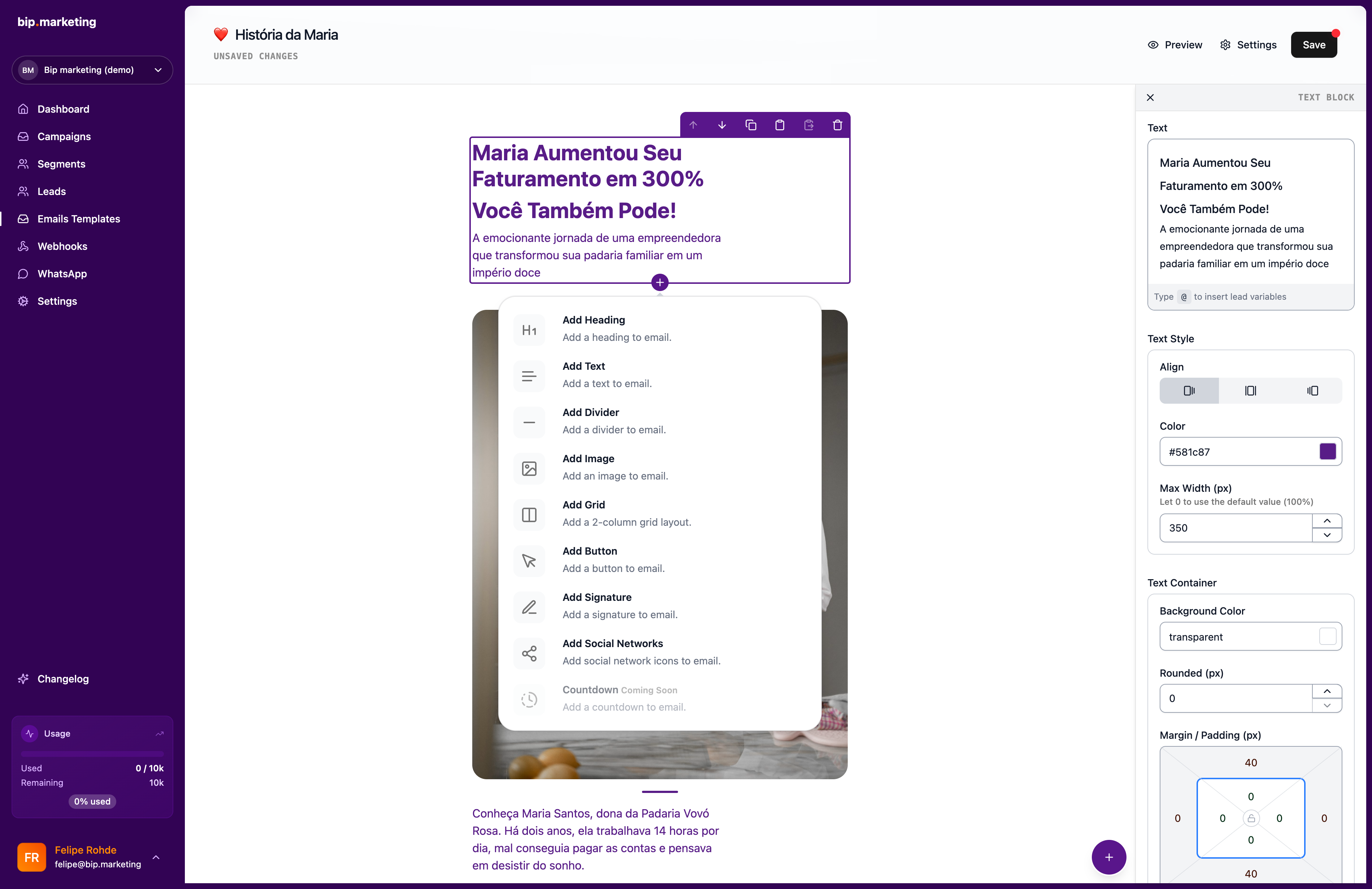
Building blocks
Create blocks in a branded email, no code
Key capabilities
Block editor
Headings, text, images, buttons, grids, signatures, and social icons. Copy blocks between templates.
Layout control
Colored backgrounds, width, padding, and radius, per block or for the whole email.
@variables
Type @ to pull name, custom fields, or KPIs. Set a fallback when data is missing.
Preview and test send
See how the email looks in a client. Send a real test before the campaign goes out.
Signatures and social
Four signature presets with name, role, photo, and contacts, plus clickable social icons for ten networks.
Organized library
Group and tag templates so the right layout is always findable, even with a big library.

The agency-grade email, built during coffee
Monday morning, no designer on the calendar. You open a blank template: soft gray page, white card centered, hero image, a two-column product row, a button in brand orange. Type @ and the customer’s first name drops in with a fallback for the blanks. Signature preset with your photo, social icons in the footer, test send to your own inbox: it reads like an agency built it. Total elapsed time: one coffee. Attach it to Friday’s campaign and move on with your week.
Related
Launch play
Absolute date and time, timezone included, analytics live.
Explorefree sends every month
1,000
per contact stored
$0
Digest play
Recurring sends that rebuild their audience every cycle.
Exploremaintenance after setup
0
audience rebuilds
every cycle
Campaigns
One-time, recurring, and API-triggered sends.
Exploreways to send
3
webhooks per send
3
Import
Upload CSV or XLSX, storage is free.
Explorestorage cost, any size
$0
formats: CSV, XLSX
2




Common questions
Can’t find the answer you’re looking for? Talk to our team and a human replies.
Do I need to know HTML?
No. Every block is visual: drag, style, and publish. The editor writes email-safe markup behind the scenes.
Can I reuse pieces of a template?
Copy and paste any block between sections or templates. Winning layouts become reusable in seconds.
Can I write templates in different languages?
Yes, templates carry a language (English, Portuguese, or Spanish), so each audience reads your email in theirs.
Last updated 2026-07-21
Design your first template
1,000 free sends every month · no credit card